
Happy Spring! We’re excited to roll out our 2.7 release today, with a variety of substantial upgrades that have been in the works for almost a year. The library enhancements are available in all groups, the redesigned admin bar appears across the Commons when logged in, and any user can take advantage of the new privacy features.
Scroll down for a more detailed overview at these items, and don’t forget to register here for our Friday, May 8th 1-2pm Open Community Meeting to close out the semester. We’d love to see you there to discuss this release and everything else happening on the Commons!
New-Look Admin Bar
Here’s the before-and-after of the core admin bar:
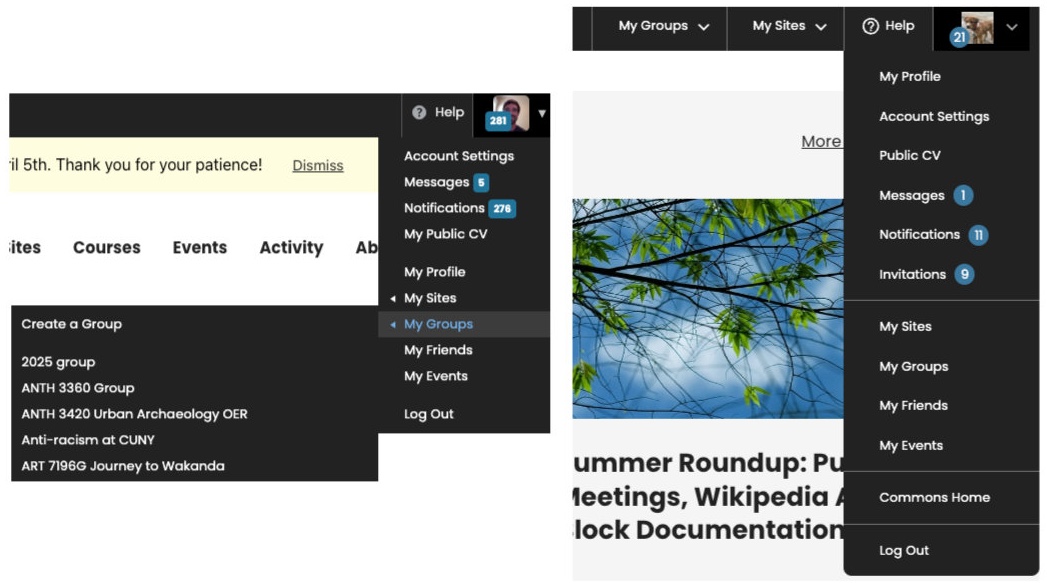
As you can see, the old version on the left relied on fly-out sub-menus for My Sites and My Groups, which now have their own top-level drop-downs in the new version on the right. We’ve also streamlined the available items, improved spacing and typography, and ensured consistent display across devices.
Group Library Refresh
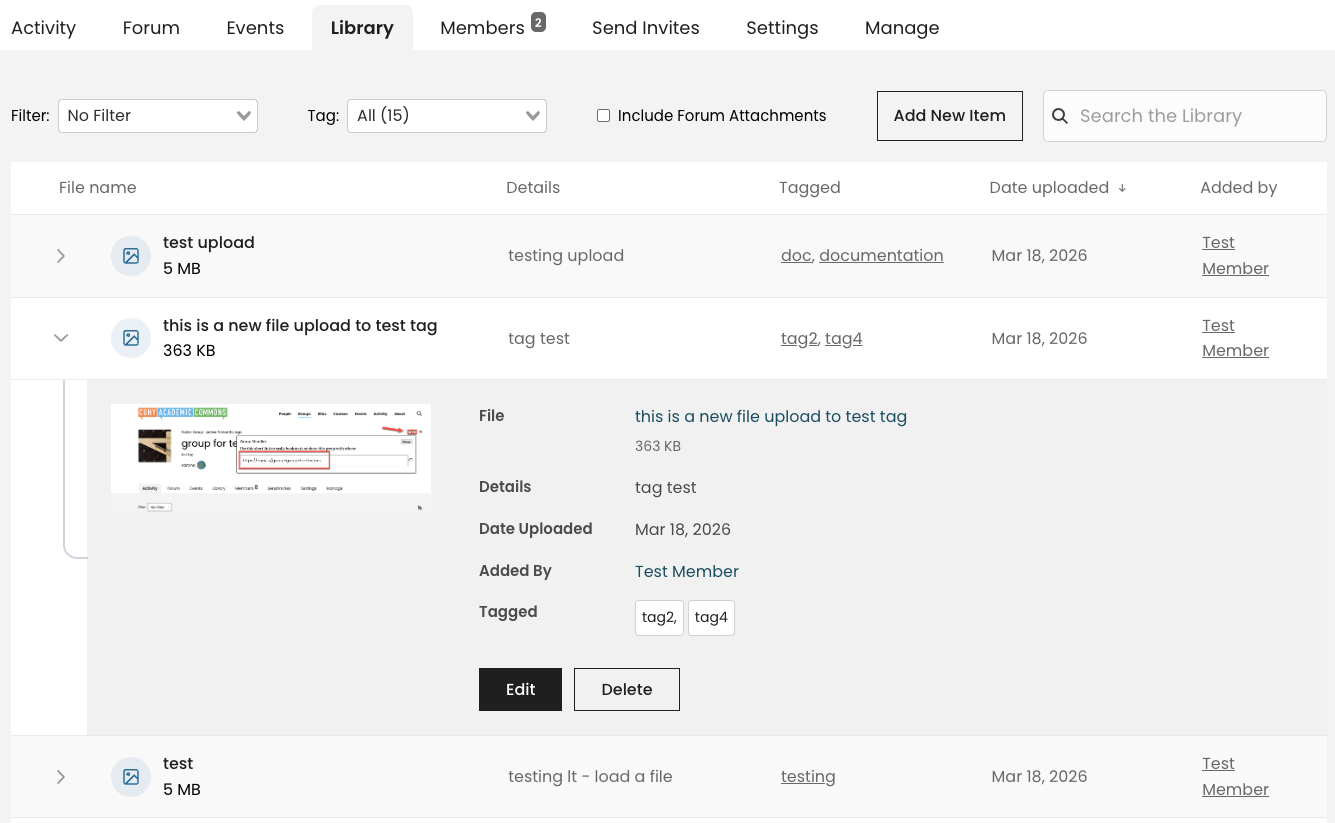
Any group with an active library can now enjoy an updated interface for the main library list. We’ve improved the display of key information across columns and a new expandable tray for individual items. Clicking the Edit button opens an in-tray editing dialog to make changes, instead of the separate editing window required before.
We’ve also streamlined our presentation of the tagging system for organizing items, and we’ve added the ability to toggle the display of forum attachments. Any items attached to a group forum post are still automatically included in the group library, but now those items are hidden by default from the main library list. You can easily view them by checking the box at the top of the library menu bar. Please click here for our full group library documentation.
Prioritizing Privacy
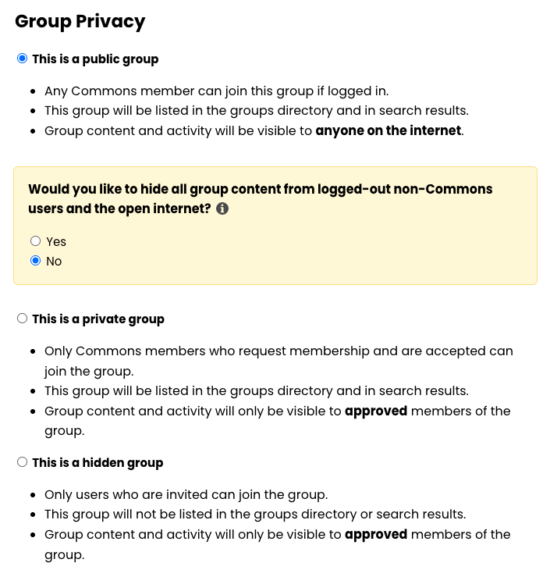
We are pleased to release a new option for groups with a level of visibility that lies between our longstanding public and private options.
If you select the public option under Group Privacy, either when creating (or cloning) a group or updating the settings of an existing one, you will now be prompted as in the yellow panel of this screenshot to choose whether you’d like to hide the group’s content from the open internet.
If you select no, the group will be fully public to the web as per our usual public setting. If you select yes, your group content will only be visible to Commons user who have logged in (whether they are a member of the group or not).
We want to make sure that group admins can take advantage of sharing their group members, content, and activity with the wider Commons community without requiring membership first. At the same time, we know it is a leap to make that same group material completely public. We hope that admins of public groups take this into account and choose the most appropriate option for their case. Please read our documentation for more information.
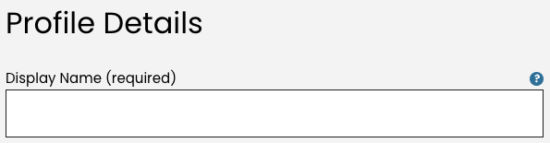
In a simple but important change, we have changed the label of our primary name field in Commons registration and profile settings pages. Instead of “Full Name” it is now “Display Name” to more clearly allow for the use of aliases or other choices that do not reveal a user’s actual full name, which can be surfaced on both the Commons and the web in ways that we want to make sure our users are thinking about when they join and continue to use our platform.
Please read more about these and other privacy considerations in our documentation and our Privacy Checkup companion news post. Please don’t hesitate to write our support team if you have any questions or feedback about this release or anything else. Thanks for being a part of the Commons, and all the best with the end of the spring semester!

This entry is licensed under a Creative Commons Attribution-NonCommercial-ShareAlike 4.0 International license.


Comments are closed.